
Final Portfolio

Main Domain:

My main website has been something I have been actively designing since I got my hands on my domain. I have put a lot of time, work, and thought into its current status. It is a work in progress still as I am continuing to add sub domains and pages that reflect the work I am completing throughout the rest of my college career. I hope to keep working on my main domain to be able to share it with future employers to set me apart from competition.

Photo Project:

The following is the photo I edited. I originally was going to edit a photo I took at the HCC in one of the rooms in the basement, however, I took this photo shortly after my project proposal and thought it looked better than any of the photos I took at the HCC. I also thought this photo better represented the type of photos I wanted to create in my very first photo project proposal as I wanted photos taken outside. Therefore I still edited it and it is not available on my main website under the “social media” page.
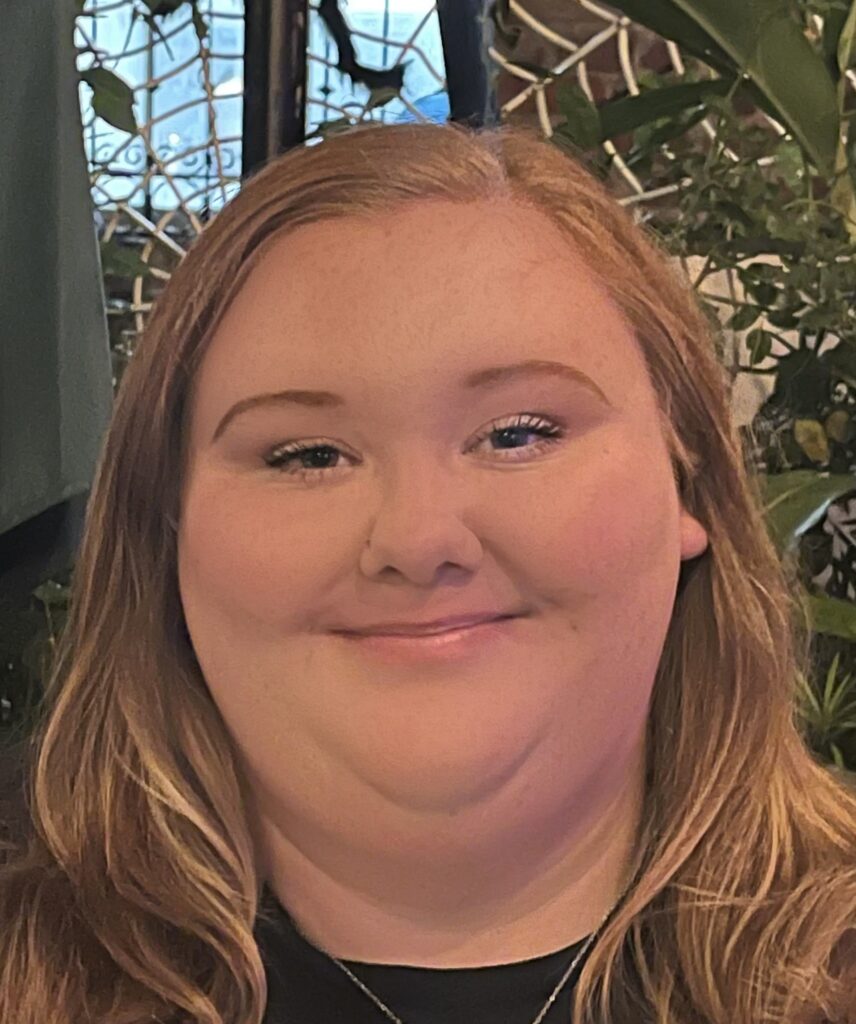
A girl staring directly into the camera while smiling in an outdoor setting.

Audio Project:

The following is a podcast that my fellow classmate, Lucy, and I created together. In it we talk about our processes of creating our domains and how we plan to improve them.
An icon for the podcast that features a computer with Lucy and I’s name in the center with a microphone attached.

Video Project:

The following is a vlog I created to show a day in the life of me as a stressed college student during finals week.

Reflection on my final websites:

I created two websites this semester one is my main domain and the other is my digital studies sub-domain. The goal for my main domain is to showcase my personality as a history major while also remaining professional to allow myself to submit this website on applications. My hope with submitting my website with an application is to allow myself to stand out from other candidates. Therefore, I set up my website to introduce me personally through and about me section while also featuring a section explaining why I chose to study history. I have created a page for social media and my email to allow people the chance to network with me as well. I also have been adding new websites I created throughout the semester. One of them is for my introduction to the study of history class while the other is my digital studies sub-domain. The main purpose of my digital studies sub domain is to house everything I created within the class. The website holds all my media projects as well as my digital engagement posts. The design of this website reflects its purpose as it is not supposed to be as personal. I did however make the featured image show a picture of a computer to keep with the theme of the class. Overall both of these websites are a work in progress as I will continue to be adding to both of them as I go throughout my career as a history major with a digital studies minor.

Reflecting on my Digital Knowledge

Over the past semester I have learned a lot about how we are all becoming more increasingly connected through technology. I now understand that digital studies connects all of us in some shape or form. Whether this be through social media, video games, or phone calls it will always find a way into everyone’s daily routine. This has taught me that there is a lot to be skeptical and worried about when it comes to technology. These fears include the threats of a lack of digital security and how that can effect the safety of my personal information. It is also important for me to understand the environmental effects of technology and how unethical the collection of resources such as lithium for lithium batteries can be. Overall technology has done many great things to connect us, however it does have its downfalls that need to be just as equally considered.

Outlining my Vlog

In this video I discuss my plans for creating a vlog detailing a day in my life as a college student. In this video I discuss the technologies I have decided to use to film my video. I discuss using the audio during the recording process compared to creating a voice over for my vlog. I also discuss using Cap Cut to edit my vlog and Canva to create the thumbnail for my video. I explain that I plan to use these applications as they seem to be very user friendly and I have prior experience with Canva.

Thank you for watching and I hope you enjoy!

Working with Copilot

In class today we worked with Copilot and ChatGPT to create stories that other class mates could then work off of to create images and further the storyline.

After class I went back on to Copilot and asked it to help me create a new icon for my domain. I asked it to create an icon that was historical that used my initials L and V. This is what it created:

I then asked it to use a color scheme including creme and green. This is what it created:

I finally asked it to get rid of all other words on the design except my initials. This is what it created:

This is the final design I incorporated on my website and I am really happy with it. My favorite part of this design is the quill pen merged with the “V” of my initials.

Filming a Video

In today’s post I discuss the various things I learned from reviewing the Digital Knowledge Center’s webpage discussing how to get started filming a video. In the video I discuss things such as making sure you are in a quiet and controlled environment as well as using a quality microphone to make sure your audio syncs with your video clip. I also discussed my personal experience with Canva and how I plan to use it to edit my digital creativity video project.

A Technological Day in My Life

Image by Leopictures from Pixabay

12:07 AM – Set my alarm on my phone to wake up at 7 AM.

12:15 AM – Turn on my television and watch Family Guy on Hulu.

12:45 AM – Switch my television over to YouTube and turn on white noise so I can sleep.

Image by Free Photos from Pixabay

7:00 AM – Wake up to my phone’s alarm going off.

7:02 AM – Check text messages and respond to them.

7:05 AM – Watch TikTok.

7:35 AM- Get out of bed and remotely shut off the air conditioning unit in my room.

7:37 AM- Walk to the bathroom and turn on the lights to shower.

7:36 AM- Play music from Spotify on my phone and get in the shower.

8:00 AM- Rush out the door and start my car to head to campus for my first class at 9 AM.

8:05 AM- Place a Dunkin’ order on the app on my phone.

8: 45 AM- Make it to my class and turn on my laptop and connect to the Wi-Fi to pull Canvas up.

9:20 AM – Take notes on my iPad using Notability.

10:00 AM – Sit in the Hurley Convergence Center and reconnect to the Wi-Fi to get some work done before my next class at 11 AM.

10:12 AM – Text my friend back.

10:35 AM – Submit an assignment for class on Canvas.

10:55 AM – Use the elevator to go to the third floor of the Hurley Convergence Center.

11:00 AM – Reconnect to the Wi-Fi again to pull up Canvas for class.

11:20 AM – Watch my professor lecture using the computer at the front of the class to connect to the televisions at all of the separate tables in the classroom.

Image by Joe from Pixabay

12:00 PM – Scan my Eagle ID at the University Center to grab lunch.

12:45 PM – Do some reading for my class the next day using my laptop.

1:15 PM – Go to a vending machine and using Apple Pay to buy a Celsius before heading to the library.

1:30 PM – Make it to the library and watch TikTok before working on more homework.

2:00 PM – Connect my laptop to Wi-Fi to look up a few sources for a research project.

3:00 PM – Use the stack number on the library’s website to find the book I need for research on the shelves.

3:30 – 6:30 PM – Complete a few assignments for various classes on Canvas.

Image by Giani Pralea from Pixabay

6:40 PM – Turn on my car to head home and plug in my phone to the AUX cord to play music from Spotify on my phone.

7:10 PM – Get home and use the oven to make some chicken nuggets for dinner.

7:15 PM- Make some popcorn using the microwave.

7:30 PM – Watch The Shining on HBO Max.

Image by Leopictures from Pixabay

10:30 PM – Go upstairs and turn on the lights in the bathroom to brush my teeth and get ready for bed.

10:45 PM – Turn on the television to watch The Cleveland Show on Hulu before going to bed.

10:50 PM – FaceTime my friend to chat while watching television.

11:15 PM – Turn on a white noise video on YouTube so I can go to bed.

11:17 PM – Text my friends back.

11:20 PM – Set my alarm for 7 AM the next day.

11:22 PM – Turn my air conditioning unit on using the remote.

My Thoughts:

Creating this digital journal to record how much I use technology in my daily life has left me feeling shocked. Like many people who were born in the late 90s to early 2000s I am extremely used to technology being a large aspect of my daily life. Technology is almost as much of a necessity as oxygen at this point. If I did not have access to the internet or technology I would have not way to communicate with my family or friends as well as no way to complete my assignments for school. When moving through my daily life I have never stopped to think about how much I use technology for, it has simply become an afterthought due to its constant use. It makes me sad in a way, especially seeing how reliant I am on it to bring me relaxation after school through watching YouTube, Hulu, HBO Max and or listening to Spotify. This inspires me to be more conscious of how much technology and internet I am using on a daily basis and motivates me to participate in more outdoor recreational activities such as going for a walk or a bike ride.

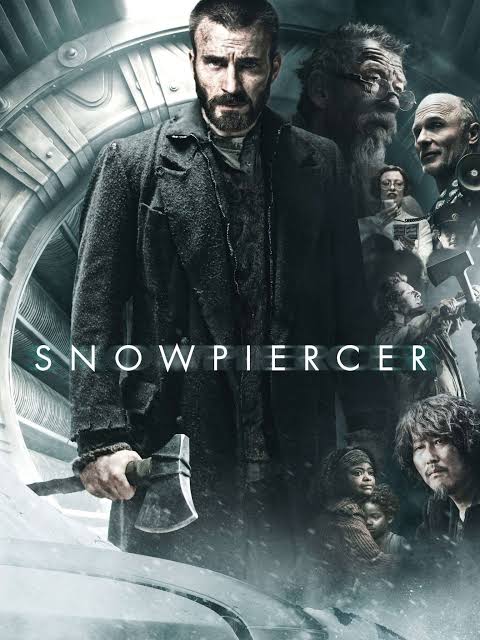
Reviewing Snowpiercer

My star rating: ⭐⭐

Summary:

Snowpiercer is a movie that represents modern society through using the metaphor of different sections of a train car to represent different classes in society. The poor people are situated in the back of the train, middle class in the middle of the train, and the elites of society are at the very front of the train controlling the engine. The movie follows a character named Curtis who’s main goal is to travel throughout the train (different sections of society) to make his way to the front to fight for better treatment for the back or poor section of the train.

The good:

There is not a lot I enjoyed about this movie other than Chris Evans. I will say, however, that the plot kept me on my toes the entire movie. The movie was never a total snooze fest because the plot was always quickly evolving to introduce new characters as well as new parts of society located on the train. It seemed that one of the goals of the director, Boon Joon-ho, was to make this movie incredibly metaphorical of parts of society today. Although it was hard to piece together the plot of the movie, it was relatively enjoyable to try to understand the metaphors he was representing through different parts of the train and obstacles against Curtis. The of the movie was also relatively enjoyable. The movie ends with the head of the train, Wilford, explaining to Curtis that his father figure in the back of the train, Gilliam, was in on the plot of Curtis creating a revolution to divert Curtis’ attention away from the poor part of the train to allow for the elite to kill a number of them to keep the population down. I was not expecting this ending at all, especially considering that Gilliam died during the process of Curtis’ revolution.

The bad:

This movie was extremely difficult to follow. The movie would introduce several, sometimes unnecessary, characters to the plot just for the audience to never see them again or for them to be killed off moments later. This made it difficult to understand the point of the characters within the larger plot of the movie and how they helped or were special to Curtis and his mission during the movie. There were also aspects of the movie that were not explained well or seemed unnecessary, one of these moments included the end of the movie where Yona and Timmy escaped the train after everyone perishes from an avalanche and they see a polar bear. I assume this is to represent that there is life outside of the train and to prove Yona’s father’s point that the ice age is getting closer to ending. However, this scene felt unnecessary and as though it did not adhere to the overall goal of the film. Overall, this film was extremely confusing which did not make it very enjoyable.

Lauren and Lucy’s DGST 101 Podcast

This week me and Lucy have joined together to record a podcast discussing our personal experiences with creating our own digital identities through our domains. We specifically discussed our design processes on Word Press where our domains are housed. This included the trial-and-error process of picking a theme that worked for our aesthetic goals. We also discussed designing our favicon and icons that are currently displayed on our websites. We hope you enjoy!

Learning About Audio Media

In this week’s upload I discuss the most important tips I took away from Cartland visiting our Digital Studies 101 class last week. As discussed one of the major things that I took away from the presentation was the ability to rent the podcast studio located in the Digital Knowledge Center. This motivate me to go visit the Digital Knowledge Center to learn more on how to get started with the podcast studio. Cartland also discussed where to rent microphones and how to connect them to your laptop which is obviously very useful knowledge. Cartland gave an in depth tutorial on the use of the program SoundTrap which me and my partner, Lucy, plane to utilize to edit our audio clip for our upcoming project. I hope you enjoyed listening to my first audio clip!

Digital Identity Images

My favicon

The favicon is at the forefront of my website so I wanted it to be personal while remaining professional. In my original plan I wanted my favicon to include a book and a quill and pen to represent that I study history. However, this came with many issues. I tried multiple different designs and none of them would clearly show in the corner of the browser window. I then opted to trying to simply use my initials that way I could make the font larger for it to be clearer in the corner of the browser. This worked much better so I began to play with different fonts. I learned quickly that my initials, “LV” are pretty difficult to work with and had try multiple different fonts until I found the one that I settled on. It was also a little bit of a struggle for me to find a brown that I liked. I did not want anything too dark or too warm toned. I had to look up multiple color codes and try many of them until I found the one that I was happy with. I hope that the favicon I have created will create a professional and sleek feel for my site. I also still believe that the font does resemble that of what an ink pen can create, therefore it still feels like it has personality to me. I made sure to make my text white to create a high contrast against the dark background to allow for better accessibility.

My Logo

My websites icon is the first thing my site visitors will see when they click on my website. Due to me not being able to make my favicon as personal as I wanted it to be, I made sure to make my icon much more unique to my passions as a history major. I chose the book icon to showcase my interest in history and opted for a simple text with my name to match. I believe this gives my website a clean look through using the simple text while also upholding my goal of making it show my personal interests through using the book icon. I also added the quote, “Let’s Make History” at the bottom to further show my interest in history. Like my first image I made sure to create contrast by using a light font against the dark background to improve accessibility.

Methodological Approach

I used Canva to create both of my images. I am very confident using Canva as it is very easy for me to use because of how many different projects throughout my educational career I have used it for. However, it was challenging to find a format that I liked that was free to use. Many of the fonts and icons I wanted to use were not free which was aggravating at times, but I was still able to create two finished products that I am happy with and that I think look nice on my website. Overall, my use of Canva was a positive one when creating these images because of how many different options it had which allowed me to create two very unique products.

Conclusion

I think both of my images came out really well and give my cite the professional feel that I wanted to create. I think both of these images will help me stand out to employers and anyone else who decides to visit my cite which is my main goal for my website.